
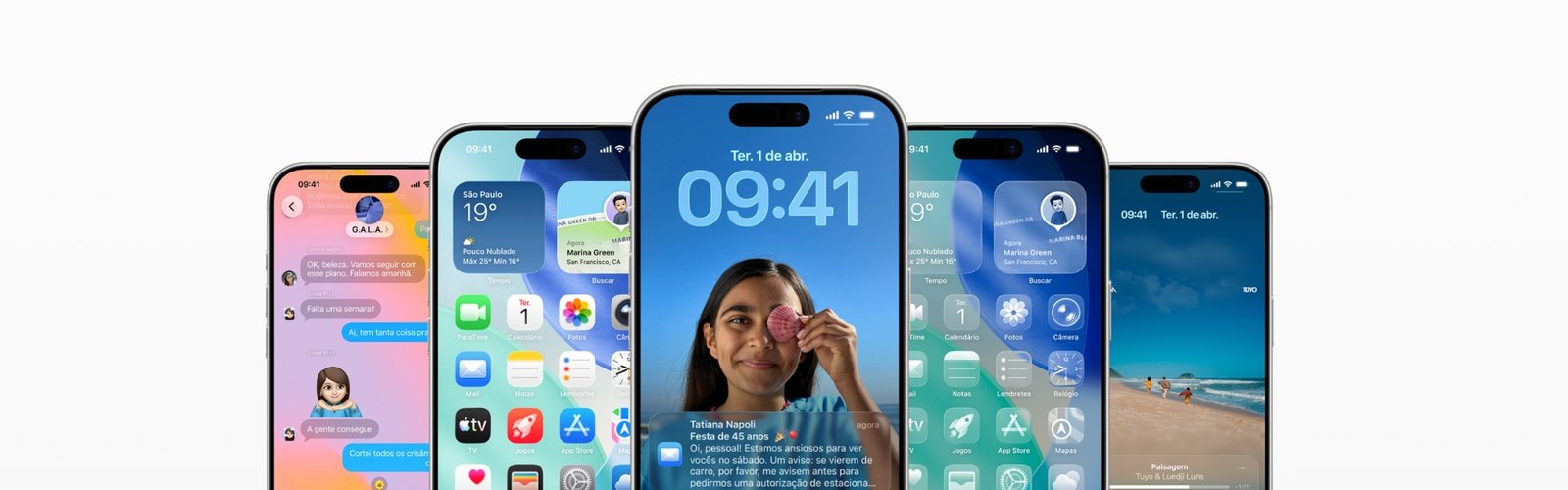
Engineering and Development
iOS applications
We do not stop at pretty UI: we align on strategy, craft the experience, and ship to the App Store — with the stack Apple expects and the rigor of a team that treats your app like a product, from first sketch to real users in the wild.
iPhone users notice immediately when an app feels generic. That is why we treat iOS holistically: we understand the business, design flows that make sense, and implement in Swift and SwiftUI so you get fluidity, accessibility, and stability — without the vibe of a rushed template that breaks on the next OS update.
Custom apps for your business
Scheduling app
Clients book services, staff, and slots on iPhone with reminders that actually show up.
Payments app
Wallet, transfers, and collections with fluid UX and security that ops teams expect.
Financial products app
Investing, loans, statements, and dashboards that turn numbers into clarity.
Delivery app
Orders, live tracking, reviews, and menu management for restaurants and markets.
Telehealth app
Video visits, digital records, prescriptions, and history with privacy at the center.
Loyalty and rewards app
Points, cashback, and coupons customers understand in a few taps.
Internal operations app
Teams, tasks, checklists, and reports so mid-size ops stop living in stray spreadsheets.
E-commerce app
Catalog, cart, and checkout with a native iOS feel end to end.
Events app
Digital tickets, agenda, networking, and QR check-in without chaos at the door.
Education app
Courses, learning paths, video, and certificates for EdTech and schools that need a strong pocket presence.
The edge is in what the Apple ecosystem does best: Face ID and Touch ID that feel effortless, Apple Pay without kicking people to a browser, Sign in with Apple when privacy matters, Siri Shortcuts for quick routines, WidgetKit home and lock screen widgets, Live Activities on the Dynamic Island and lock screen, rich push notifications with in-notification actions, and App Clips when you need a lightweight entry point that opens instantly. We connect AirDrop, AirPlay, Watch, iPad, and Mac when your product should live across devices.
In practice, that becomes engineering with Xcode, Combine and async-await where it fits, Core Data or CloudKit when data must sync safely, Firebase for auth, analytics, and push when speed matters, Fastlane so nobody burns time on manual builds, and TestFlight so you collect feedback before the public launch. The outcome feels native because it is — with the kind of performance hybrids rarely match.
Portfolio of iOS applications



Deliverables
App live on the App Store
Production binary, active listing, and guidance on versioning and release notes.
Documented source code (private Git)
Clean repository, helpful README, and history your team can own without a treasure hunt.
Complete Figma file
Screens, components, and navigable prototype aligned with what shipped.
Apple Developer account
Configured with you or a clear guide to roles, billing, and team access.
Certificates and provisioning profiles
Organized and explained so builds, TestFlight, and store uploads are not a mystery.
Terms of use and privacy policy
Published copy coordinated with your legal when needed, aligned with what the app collects and shows.
Technical documentation
APIs consumed, architecture, key dependencies, and extension points so the next developer is not starting from zero.
User manual or internal guide
Depending on complexity: PDF, in-app help, or a flow for support teams.
Analytics dashboard access
Firebase, Mixpanel, or an agreed stack — with a minimal useful event set for product decisions.
Crash reporting and monitoring
Tooling configured so you see issues before they trend on social.
Post-launch support
An agreed window for fixes and questions to cross the first weeks confidently.
Handoff and training
A session so your team can build, ship betas, and prioritize backlog safely.
Execution methodology
-
Kickoff and alignment
We learn your business, audience, goals, and constraints before a single line of code — so the app solves a real problem.
-
Requirements analysis
We map features, integrations, permissions, and everything that must talk to backends, payments, or legacy systems.
-
Scope definition
We document what ships now, what waits for the next release, and what is out of scope so timeline and budget stay clear.
-
Technical architecture
We choose the iOS stack, persistence, APIs, and foundations that keep production healthy as you scale.
-
UX and user flows
We design journeys, navigation, and error states before visual polish — so nobody gets lost halfway.
-
UI design
High-fidelity Figma screens with brand applied, reusable components, and a prototype you can feel.
-
Prototype approval
You navigate the flow before the real build and validate what goes to engineering.
-
Development
We ship readable code with performance, accessibility, and App Review expectations in mind.
-
Testing and QA
We exercise flows, devices, iOS versions, and edge cases until launch day feels boring — in a good way.
-
App Store submission
Developer account, certificates, metadata, privacy labels, and review loops until Apple approves.
-
Launch and monitoring
We watch stability, feedback, and fine-tuning in the first weeks live.
-
Support and evolution
Shipping is the start: we keep iterating with roadmap, metrics, and releases as the product grows.
